Clippino
Double-tap Ctrl for history. Double-tap Shift for snippets.
A free Windows app that keeps copied text, images, and frequently used phrases close at hand whenever you need them.
Product views
Screenshots
About
Keep your copy flow moving.
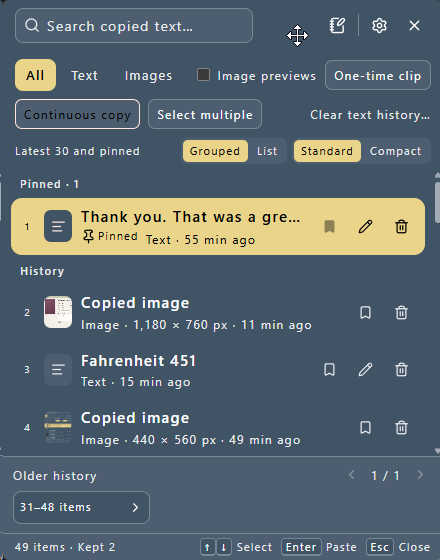
Clippino is a Windows app that keeps a history of copied text and images so you can find and paste them later. It waits in the system tray when closed and opens as a compact window only when you need it.
- Double-tap Ctrl to open clipboard history
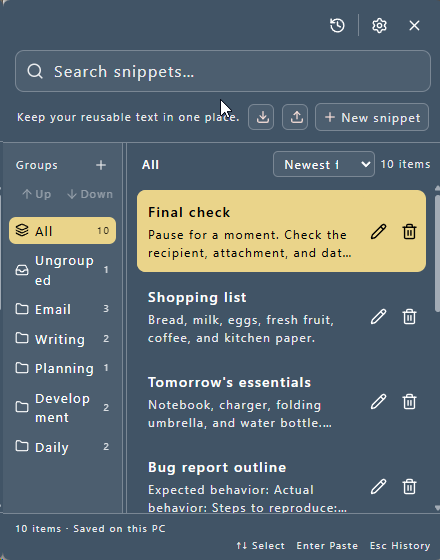
- Double-tap Shift to open snippets
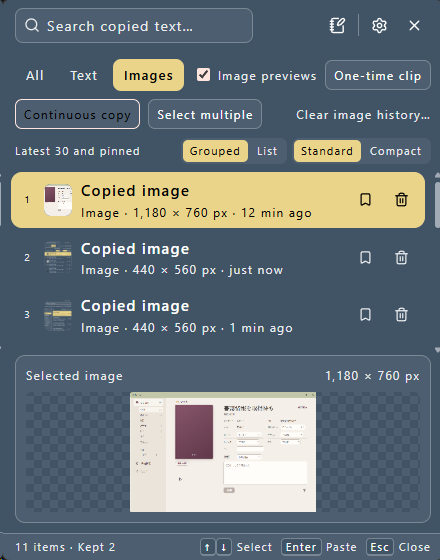
- Search, edit, and format text; browse and preview images
- Press 1–9 to paste one of the first nine visible entries directly
History
Find recent text and images again.
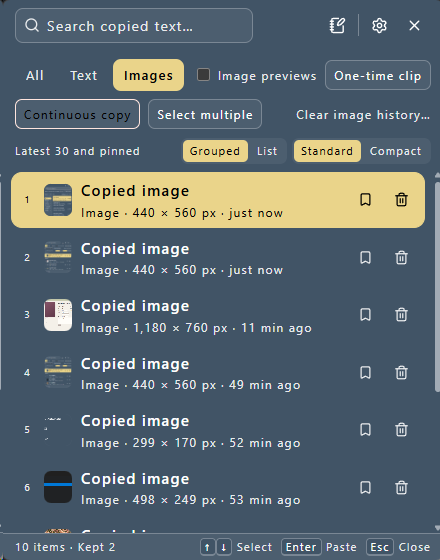
Search text by its contents and inspect copied images as thumbnails or in a larger preview. Keep important entries so automatic cleanup does not remove them, and pin or reorder frequently used items.
- Separate views for text and image history
- Defaults to 500 items and 30 days, both configurable
- Keep important entries outside automatic cleanup
- Select and delete multiple entries together
- Format or minify JSON, trim line endings, and replace line breaks with spaces
Snippets
Keep frequently used phrases ready.
Save greetings, signatures, addresses, procedures, or any other reusable text as snippets. Organize them into groups, then choose newest-first or your own manual order.
- Assign one snippet to multiple groups
- Insert an item from clipboard history while editing a snippet
- Optional shortcut for creating a snippet from selected text
- Export and import snippets, groups, and settings as JSON
Quick actions
Handle one-off and sequential copies.
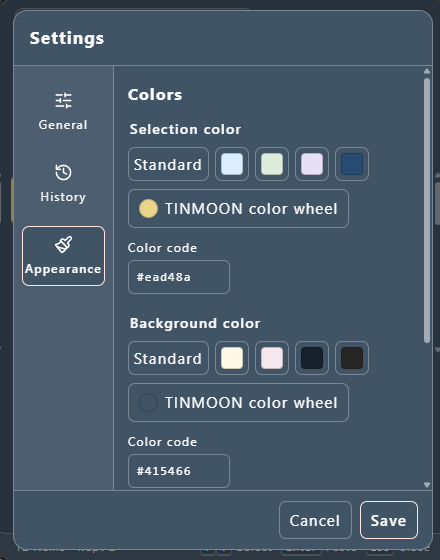
Temporary Clip keeps the next copied text or image out of history. Sequential Copy collects multiple copied items and then pastes them in the same order. Their buttons can be hidden in Settings when you do not use them.
Local & private
History and snippets stay on this PC.
Clipboard history, images, snippets, and settings are stored locally. Clippino itself has no feature for sending saved content to a TINMOON server, cloud synchronization, advertising, automatic usage reporting, or account registration. Capture can be paused from the system tray, and Temporary Clip can exclude just the next item. See the privacy policy for full details.
Release notes
v1.0.6 — October 7, 2026
Version 1.0.6 is available from BOOTH, itch.io, and Microsoft Store.
- Fixed an unwanted search-field focus outline after deleting a history entry
- Returns focus to the remaining history list so arrow-key and Enter actions can continue immediately
Requirements
A free app for Windows.
- Tested on 64-bit Windows 11
- Microsoft Edge WebView2 is required
- The Microsoft Store edition updates through the Store
- Download a newer installer to update the BOOTH or itch.io edition
- The direct-download installer is unsigned, so Windows may show a publisher warning