Naggie
A lovingly annoying reminder for things you absolutely cannot forget.
When a reminder is due, Naggie notifies you—and if you leave it alone, it comes back at the interval you choose. Postpone it, mark it done, pick the sound, size, and character, and let this small Windows tray app keep nudging until the job is finished.
Product views
Screenshots
About
If once is not enough, Naggie tells you again.
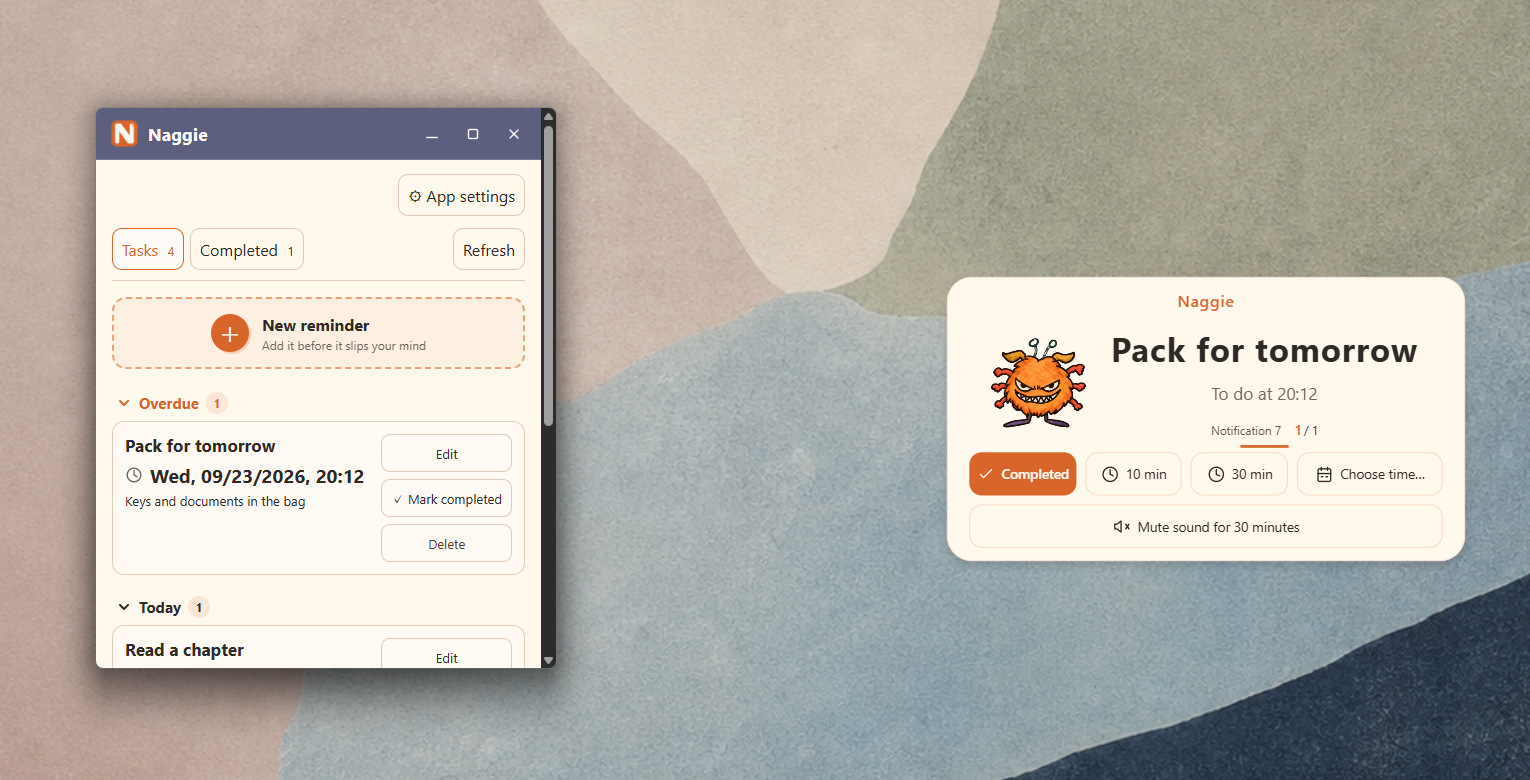
Naggie is a Windows reminder for the things you really mean to finish. Add a title, an optional note, and a date and time. When the moment arrives, a notification card appears. Miss it or leave it untouched and Naggie can notify you again at the interval you choose. It stays a little annoying—and very useful—until you mark the reminder done.
- Reminder groups for overdue, today, tomorrow, and later
- Separate pending and completed views
- Add, edit, delete, and restore reminders
- Store a title, note, and due date for each reminder
Persistent notifications
“I did not see it” only works for so long.
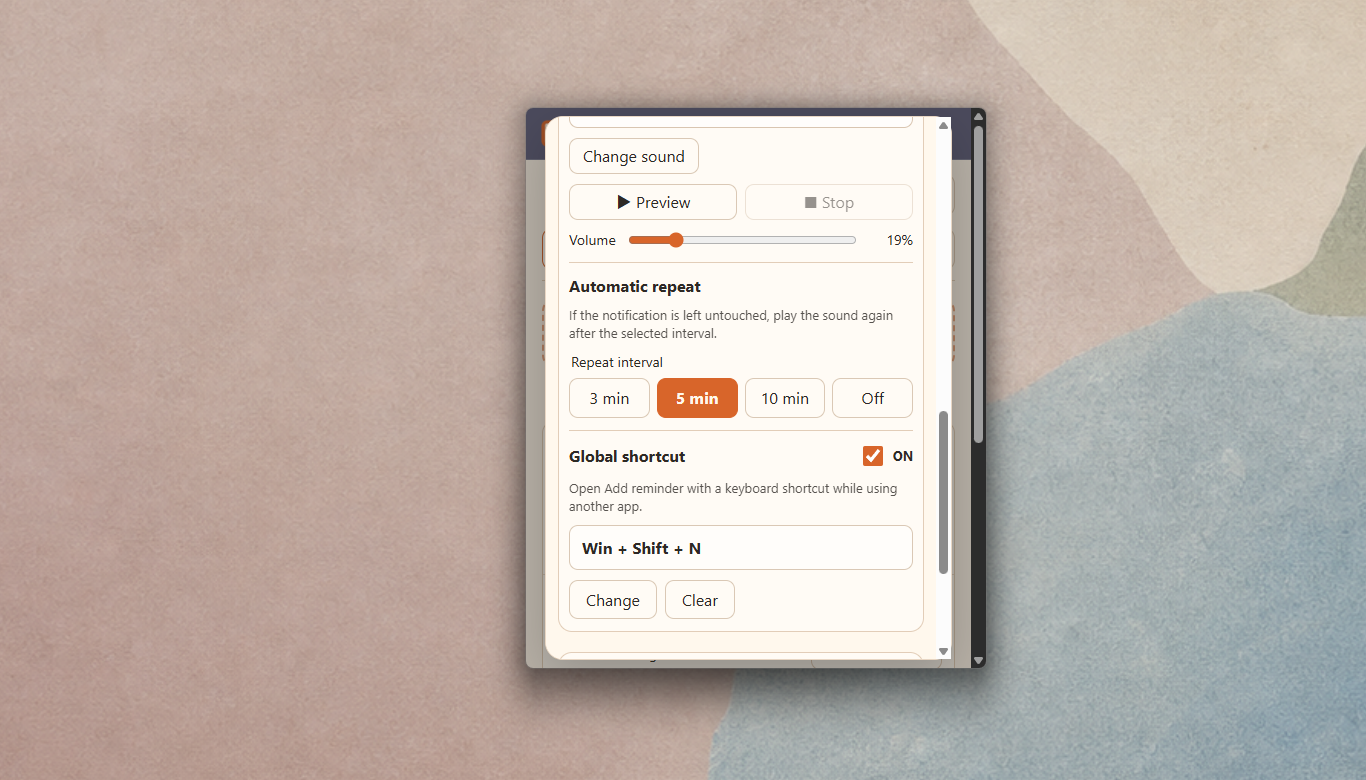
Mark a reminder done directly from its notification, or postpone it by 10 minutes, 30 minutes, or to a date and time you choose. If you do nothing, automatic repeat notifications can return every 3, 5, or 10 minutes. You can also turn repeats off when you want a quieter reminder.
Choose the time
Add a title, an optional note, and the date and time when Naggie should speak up.
Get the notification
At the due time, a notification card appears with the sound and character you selected.
Finish or postpone
Mark it done, postpone by 10 or 30 minutes, or choose another date and time.
Ignore it, and it returns
With automatic repeats enabled, Naggie comes back after the interval you selected.
Sound & character
Choose how hard Naggie nudges.
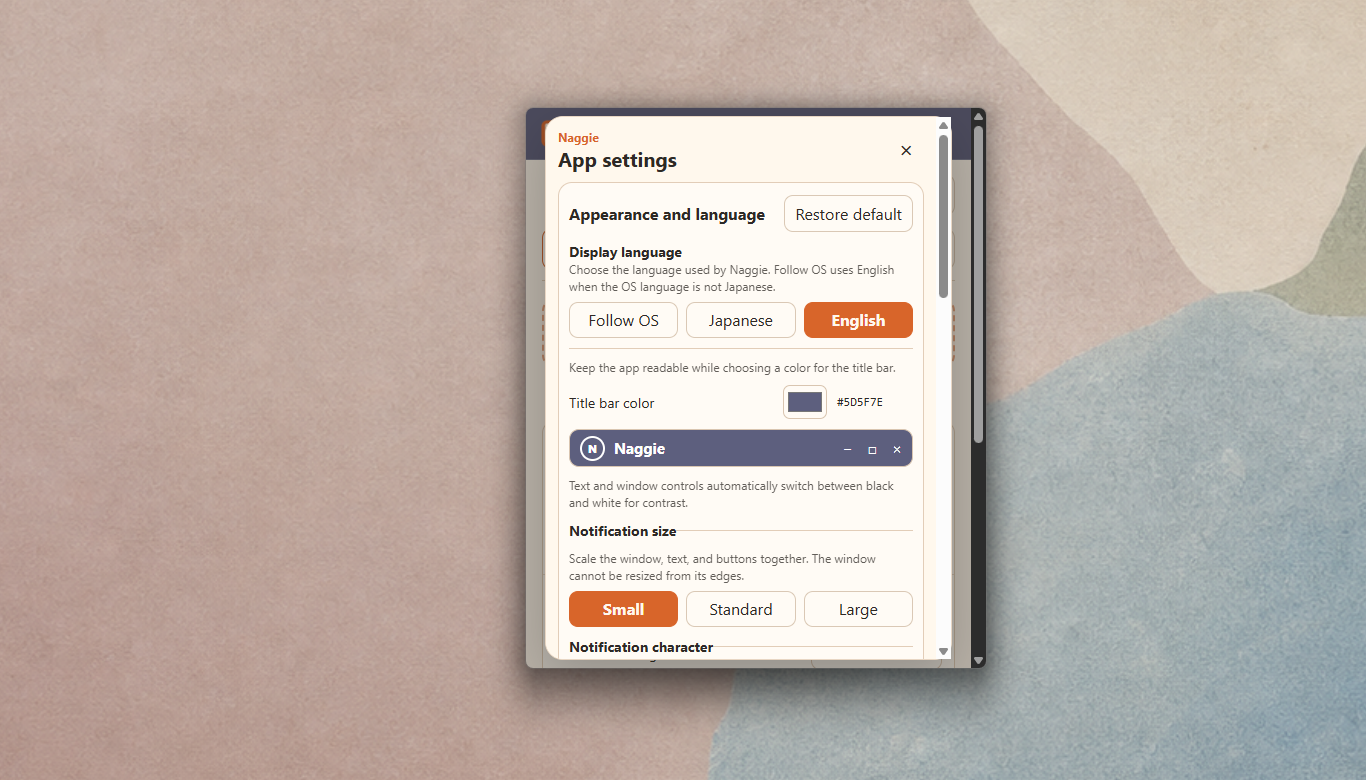
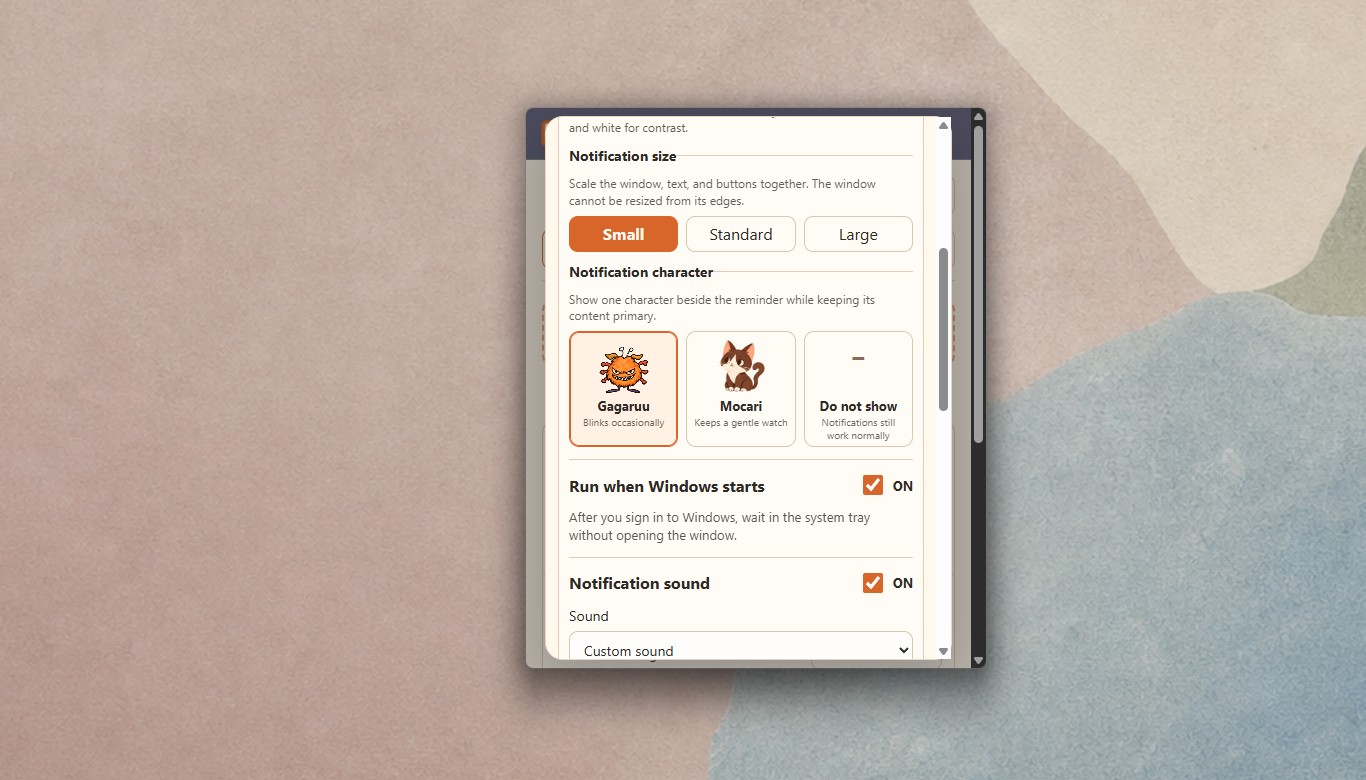
Pick a built-in sound or import an audio file as a custom notification sound. Choose a small, standard, or large notification card. Add Gagaru or Mokari as your notification character, or keep the card character-free. Stay subtle on an ordinary day, then turn up the presence for the reminder you cannot afford to miss.
- Choose and preview notification sounds, or import a custom sound
- Small, standard, and large notification sizes
- Gagaru, Mokari, or no notification character
- Japanese and English interface, with an option to follow the Windows display language
Always ready
Close the window. Naggie keeps working.
Closing the main window leaves Naggie running in the system tray to watch your reminders. It can start when you sign in to Windows, and a global keyboard shortcut opens quick add. When you really want to stop it, use Exit from the tray menu.
- Optional start with Windows
- Global shortcut for opening quick add
- Open the list, add a reminder, or exit from the system tray
- Reminders and settings remain after restarting the app
Local & private
Your reminders stay on this PC.
Naggie stores reminders and settings in an app-specific local database on your PC. It has no account system, advertising, usage analytics, or server synchronization, and it does not send stored reminder content to TINMOON. If you choose a custom notification sound, a copy is stored in the app’s local data area. See the privacy policy for full details.
Requirements
Free, and tucked into Windows.
- Windows 10 / 11 on an x64 PC
- Available free from Microsoft Store, BOOTH, and itch.io
- The direct-download installer on BOOTH and itch.io is currently unsigned
- Windows may display a warning for the direct download; verify the source and file name before running it
- Reminders and settings are stored locally; there is no cloud sync