Picmelle
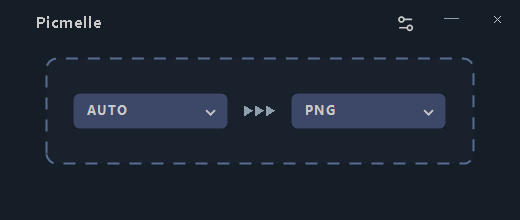
Choose a format, then drop your files.
A free Windows app for quickly standardizing image formats and sizes. Convert files or folders in batches and save the results separately while keeping the originals.
Product views
Screenshots
About
Handle everyday image conversions in one batch.
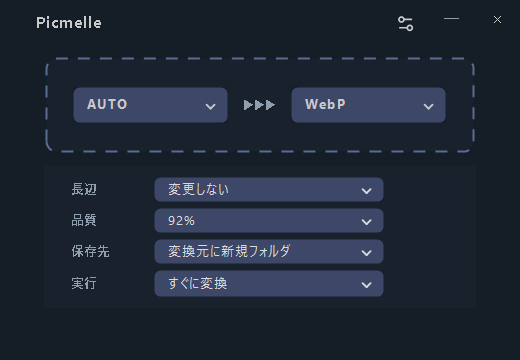
Picmelle is a Windows app for standardizing image formats and sizes. Switch between Simple mode for the essentials and Custom mode for size, quality, destination, and conversion behavior.
- Convert files and folders in batches
- Resize by setting the image's longer side
- Choose JPG and WebP quality
- Copy matching images unchanged when no resize is needed
Formats
Common formats and specialized formats.
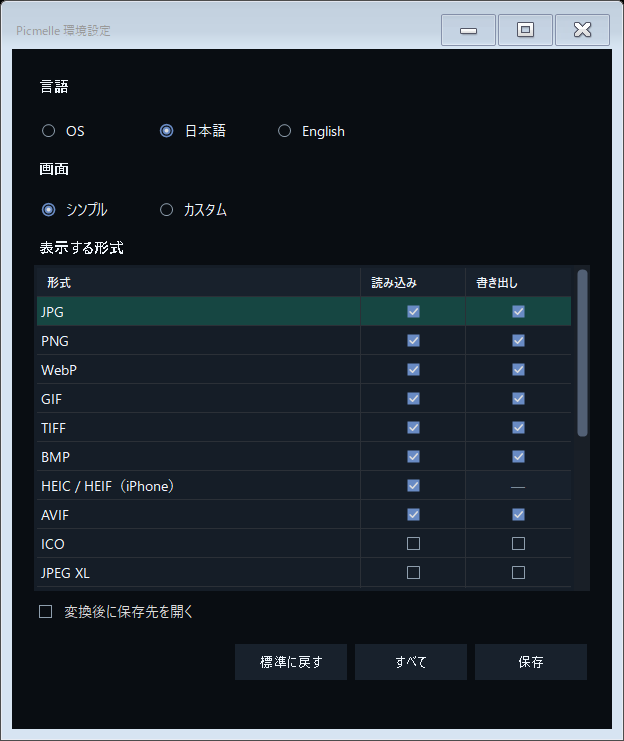
JPG, PNG, WebP, GIF, TIFF, BMP, AVIF, ICO, JPEG XL, PSD, TGA, DDS, JPEG 2000, OpenEXR, HDR, QOI, and PNM can be opened and saved. HEIC/HEIF and RAW/DNG are input-only and can be converted to another format.
- RAW: DNG, CR2, CR3, NEF, ARW, RAF, ORF, RW2, PEF, SRW, and 3FR
- For animated or multi-page images, convert only the first frame or page, or skip the file
- Some files may not open depending on how they were saved or the camera model
Originals
Keep originals and never overwrite a matching file.
Converted images are saved to a separate folder. Picmelle reopens saved images to verify their format and size. Transparency and photo metadata may be lost depending on the destination format. Keep your originals and check converted images before using them.
Local & private
Images are converted on your PC.
Picmelle has no feature for uploading images or photo metadata to TINMOON. It contains no account registration, advertising, usage analytics, or automatic error reporting. See the privacy policy for full details.
Requirements
Free to use, with no additional software required.
Everything Picmelle needs is included. For the BOOTH and itch.io editions, keep the files together in the extracted folder.
- Windows 10 / 11 on an x64 PC
- The Microsoft Store edition updates through Microsoft Store
- Download a newer release to update the BOOTH or itch.io edition