Chromotica
Bottle the colors you discover and collect them in your own antique specimen cabinets.
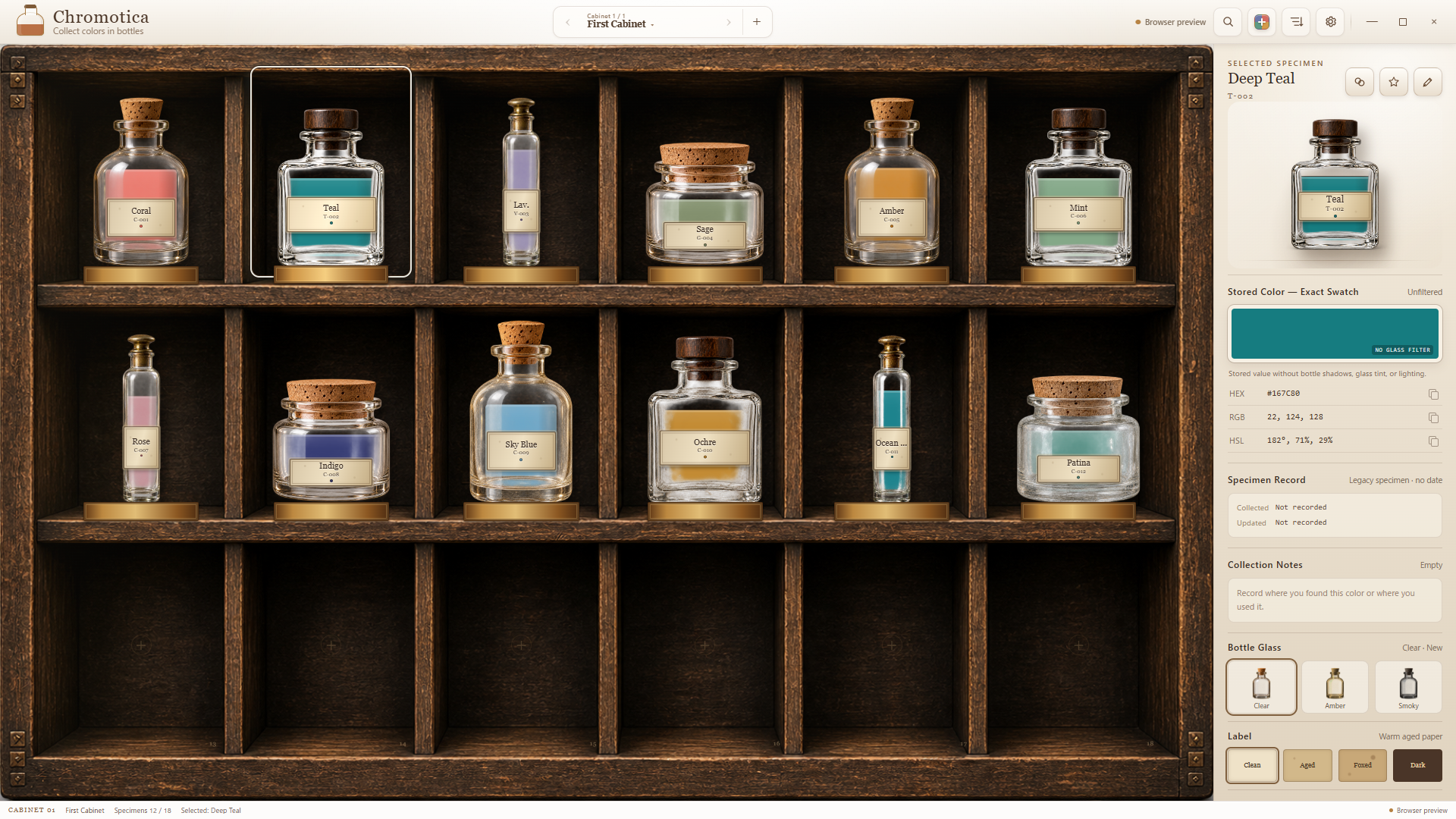
Create specimens from HEX values and keep them with a bottle, label, stopper, glass tint, fill level, and collection note. Add cabinets, arrange and search your collection, rediscover similar colors, back everything up, and export an exact HTML color catalog.
Product views
Screenshots
About
Keep a color as you found it.
Chromotica is a Windows app for recording colors as bottled specimens and enjoying them in a personal collection of antique cabinets. Keep not only the color value, but also where you found it and the bottle you chose for it.
Color specimens
From a HEX value to a specimen bottle.
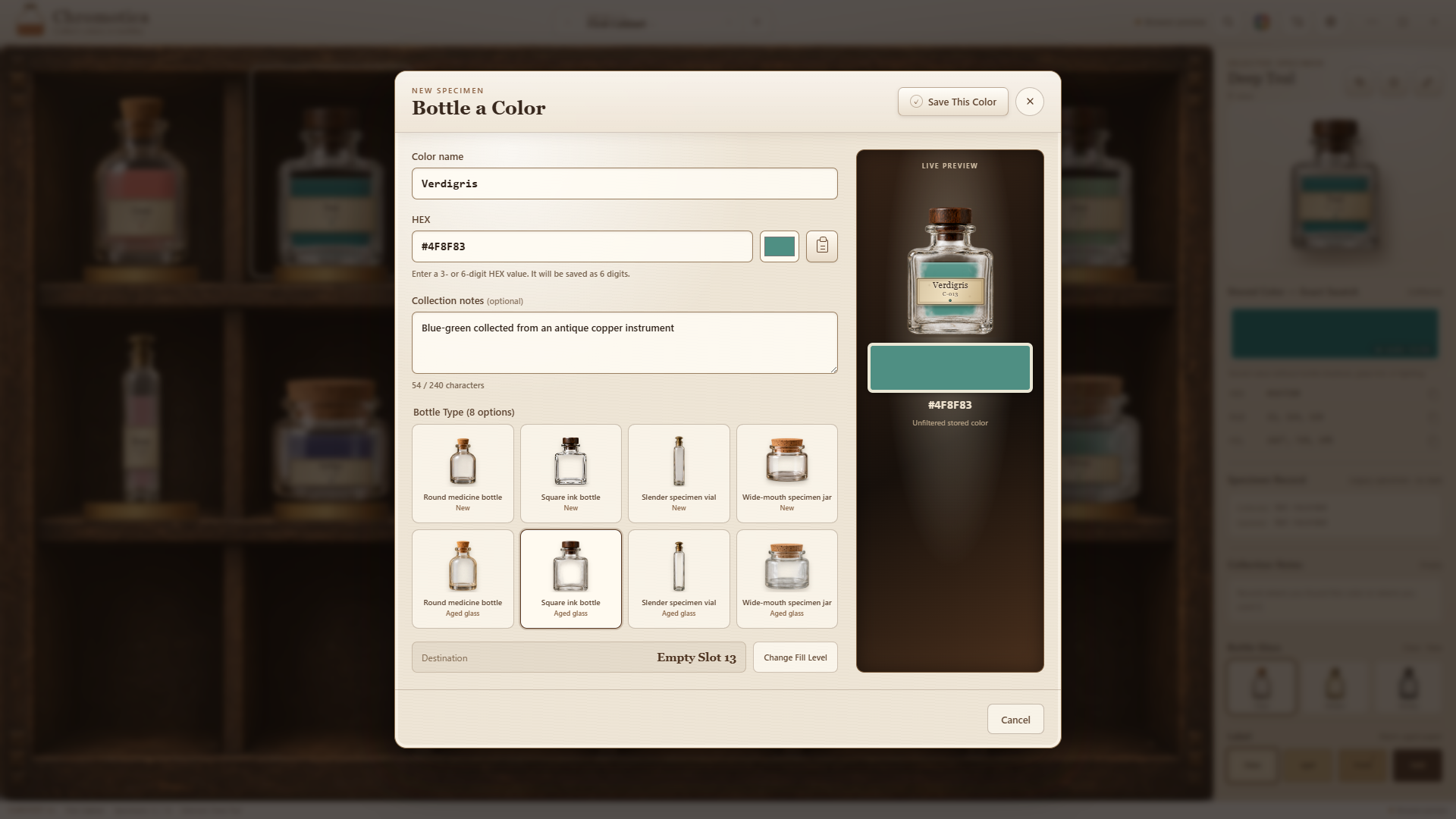
Enter a HEX value and name, then choose an empty cabinet slot to create a specimen. Change its appearance to suit the color or the story behind it.
- Four bottle shapes, each in clean and aged conditions
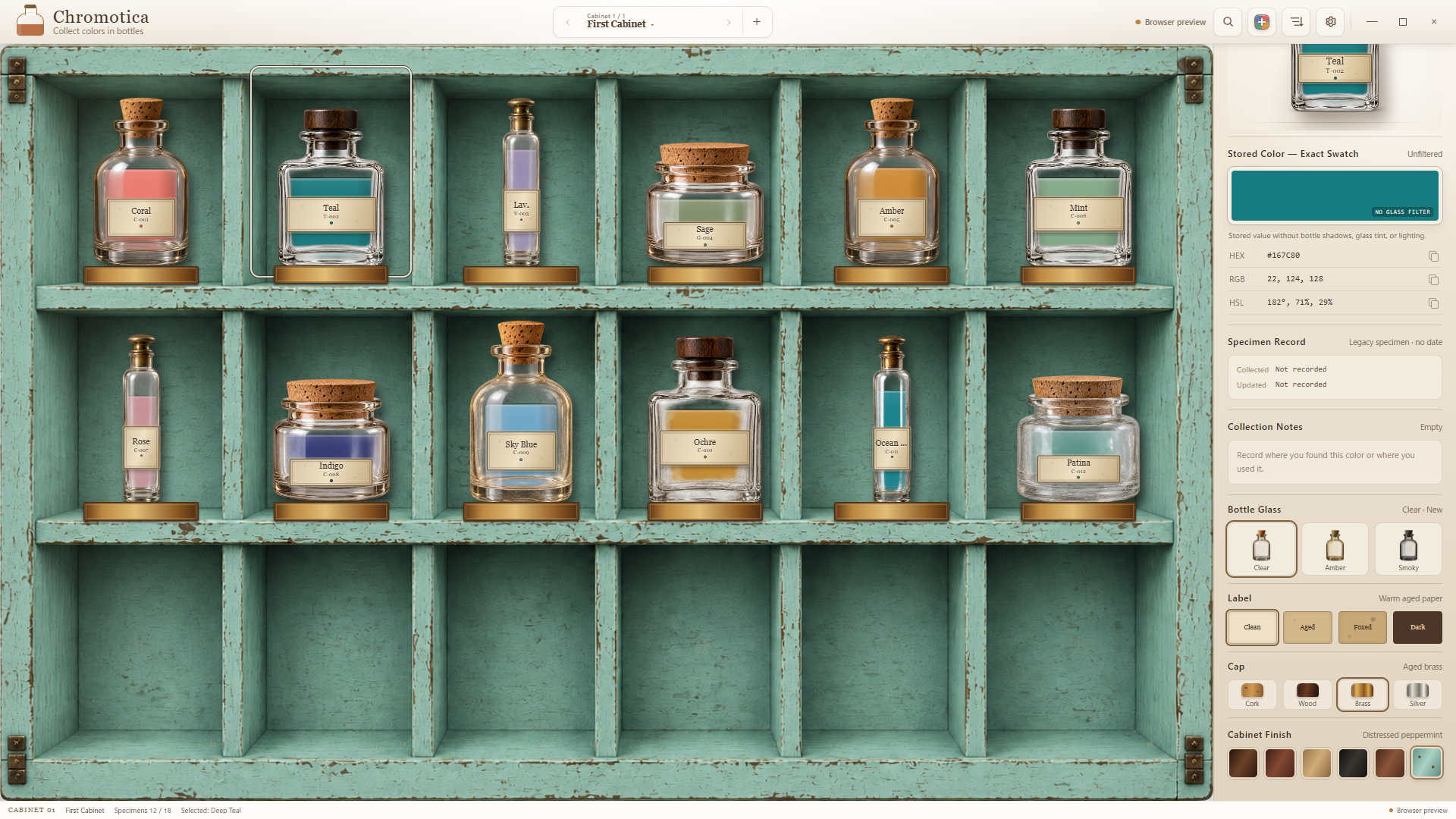
- Choose the label, stopper, glass tint, and fill level
- Collection notes and favorites for every specimen
- Display and copy exact HEX, RGB, and HSL values
Cabinets
Grow a collection of your own.
Drag specimens to arrange, swap, or move them between cabinets. There is no fixed cabinet limit, and every cabinet can have its own wood or painted finish.
- Sort by name, hue, lightness, and more while preserving manual arrangements
- Undo the most recent sort
- Search every cabinet by name, HEX, catalog number, or collection note
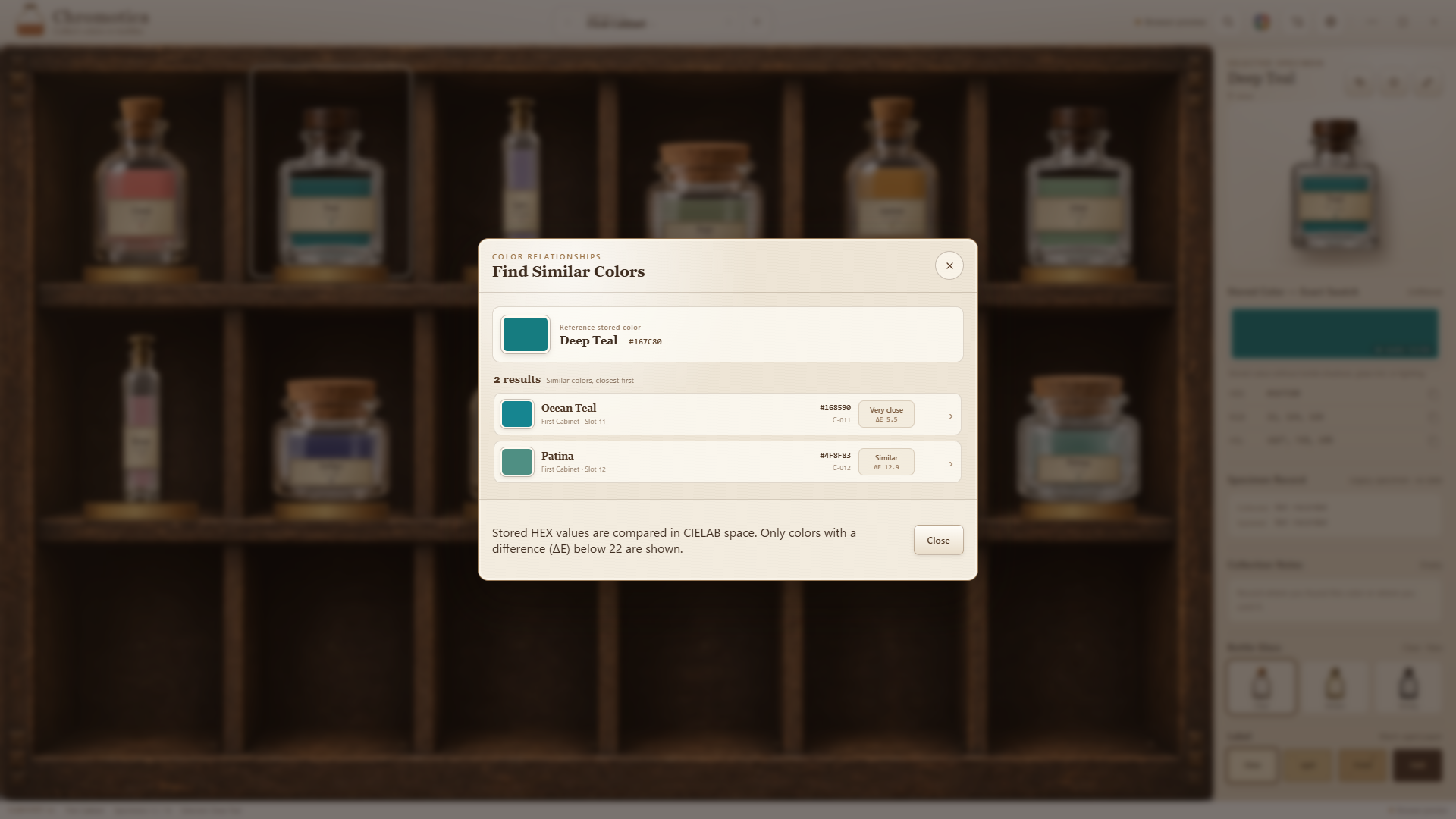
- Rediscover favorites and perceptually similar colors
Catalog & backup
Take the collection beyond the cabinet.
Back up and restore the complete collection. Export exact saved colors without bottle shadows or glass tint as an HTML catalog, then print it or save it as a PDF from your browser.
Requirements
Free, local, and quiet.
- Windows 10 / 11 on a 64-bit PC
- Japanese and English interface; the first launch follows the Windows display language
- The collection is stored locally in the Windows app data folder
- No account, advertising, analytics, or cloud connection
- The Microsoft Store edition is signed, distributed, and updated through Microsoft