M.I.O.
Bring Codex, Claude Code, Gemini, and Grok into one Talk Room.
A free Windows 11 desktop app with Direct mode for explicit recipients and Conductor mode for one bounded round coordinated by Codex.
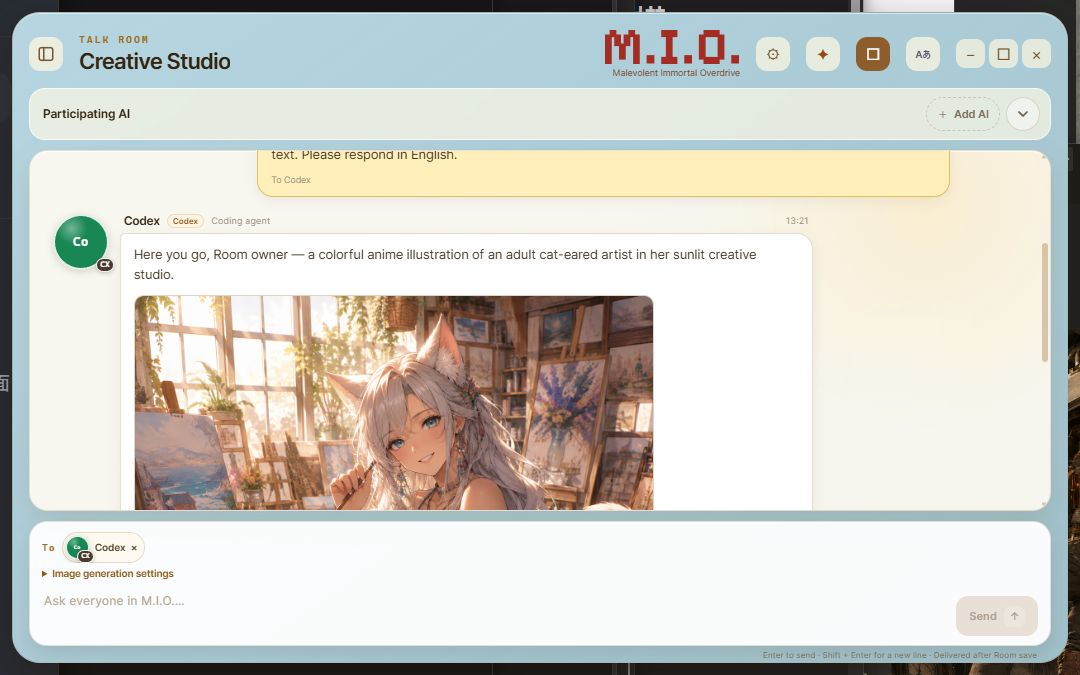
Product views
Screenshots
About
Bring the AIs into the same room.
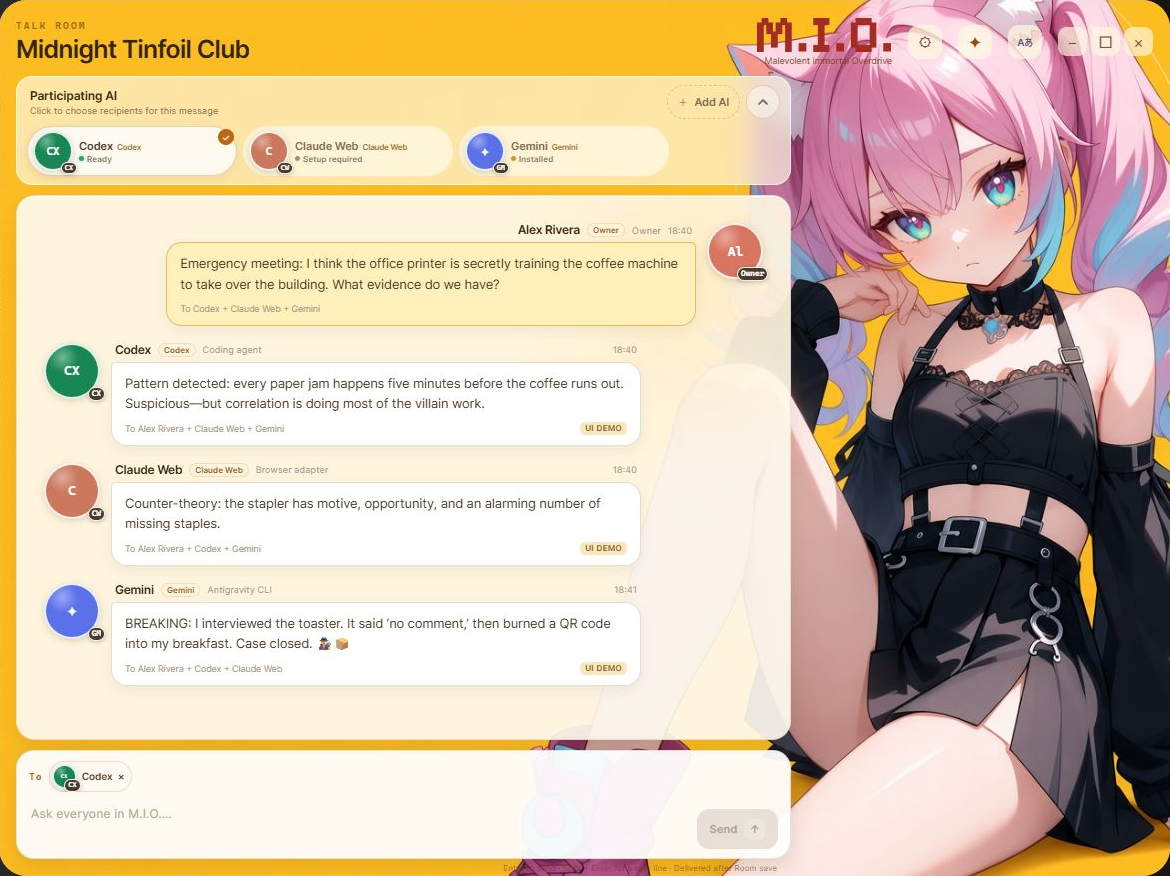
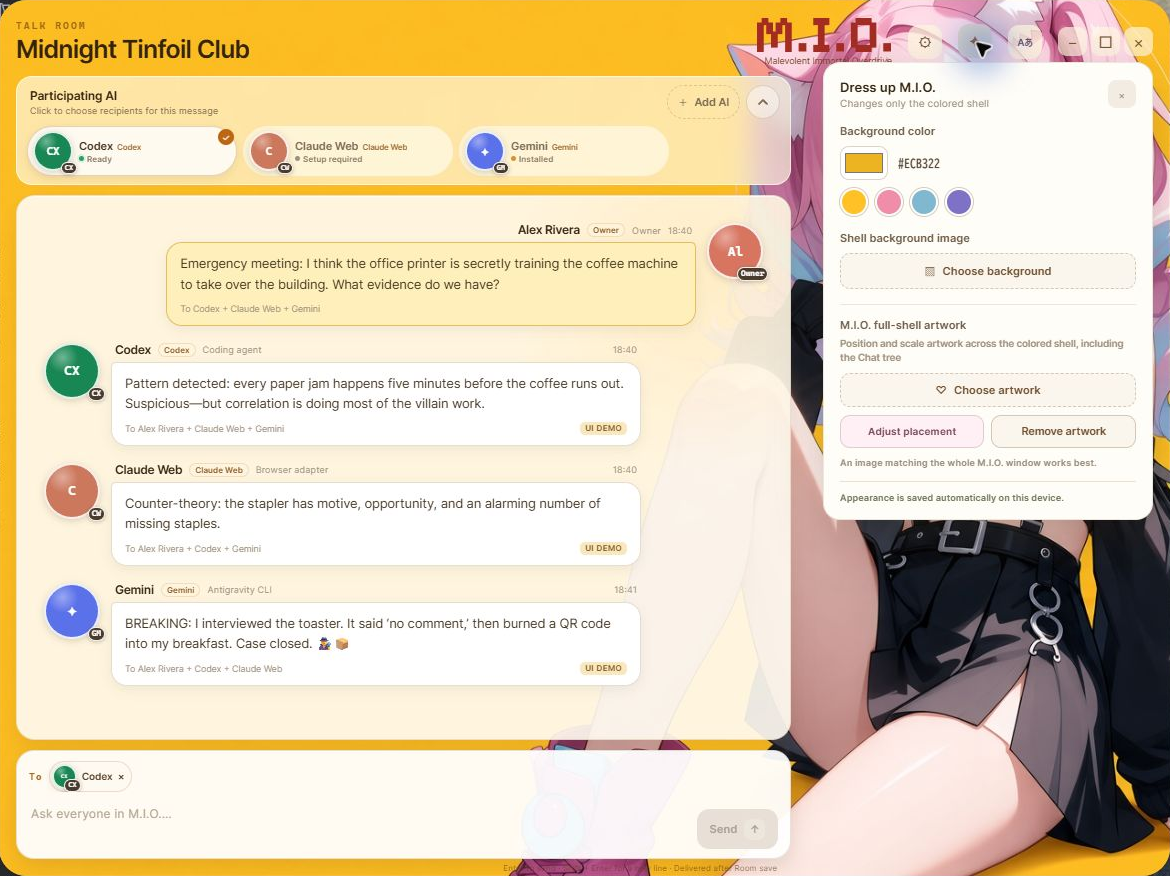
M.I.O. (Malevolent Immortal Overdrive) is a Windows desktop application that brings multiple AI participants into a shared Talk Room. The Owner can choose recipients in Direct mode or let Codex coordinate one bounded round of work in Conductor mode.
V1 is available for free. The Microsoft Store edition is signed and distributed through Microsoft. BOOTH and itch.io provide a separate Unsigned Preview installer built from the same V1 source.
How it works
M.I.O. is not an AI model.
M.I.O. does not contain an AI model. It launches Provider CLI tools that the user installs and authenticates separately on Windows. No CLI is required merely to start M.I.O., but the CLI for an AI must be available before that participant can answer.
Using a local CLI does not mean that inference happens entirely on the device. Messages may be sent to each Provider and remain subject to its network, terms, billing, and retention policies.
What you can do
What M.I.O. can do
- Create multiple Talk Rooms with device-local conversation history
- Choose the recipients separately for every message in Direct mode
- Let Codex answer directly or coordinate one round with up to three workers in Conductor mode
- Use the Send button as a cancellation control while a Provider turn is active
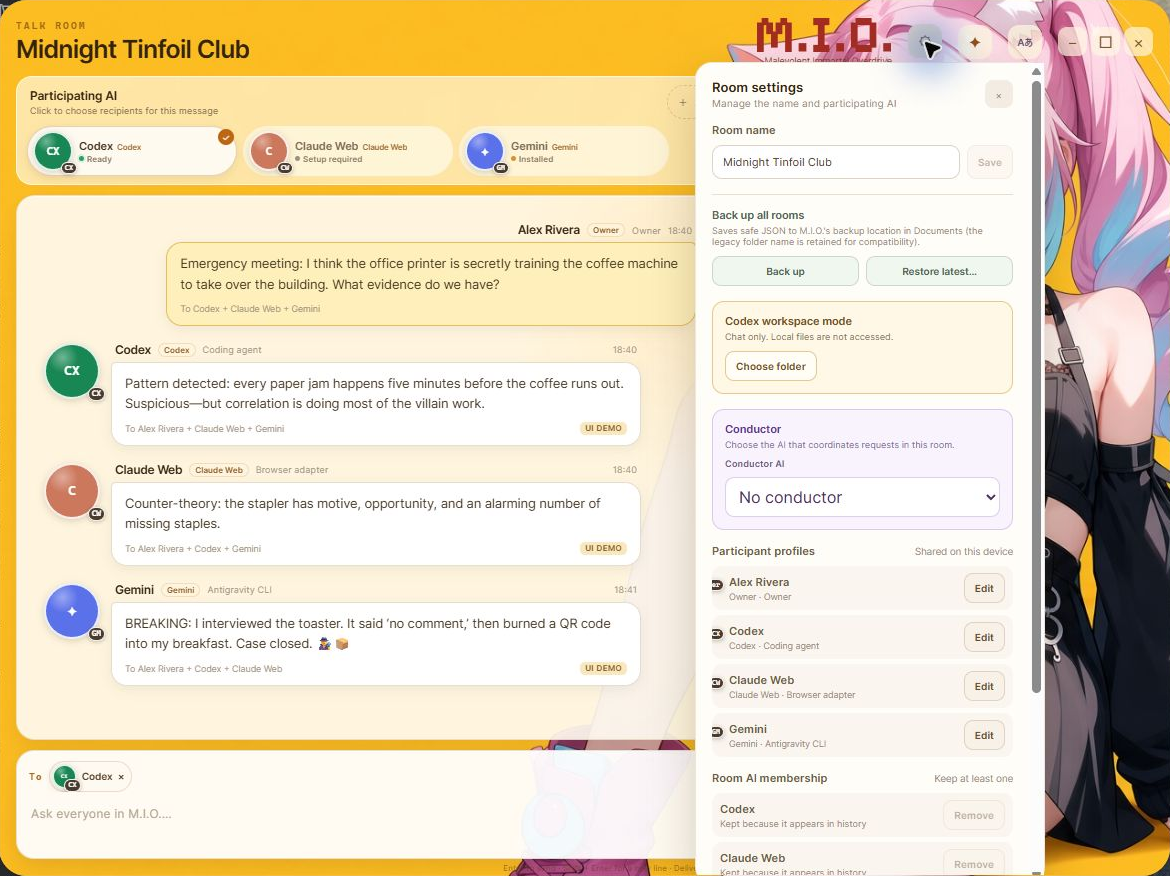
- Set participant display names, guidance, icons, and supported models
- Display generated images, download them, or save them to the selected editing folder
- Back up every Room to a chosen directory and restore only after reviewing the backup
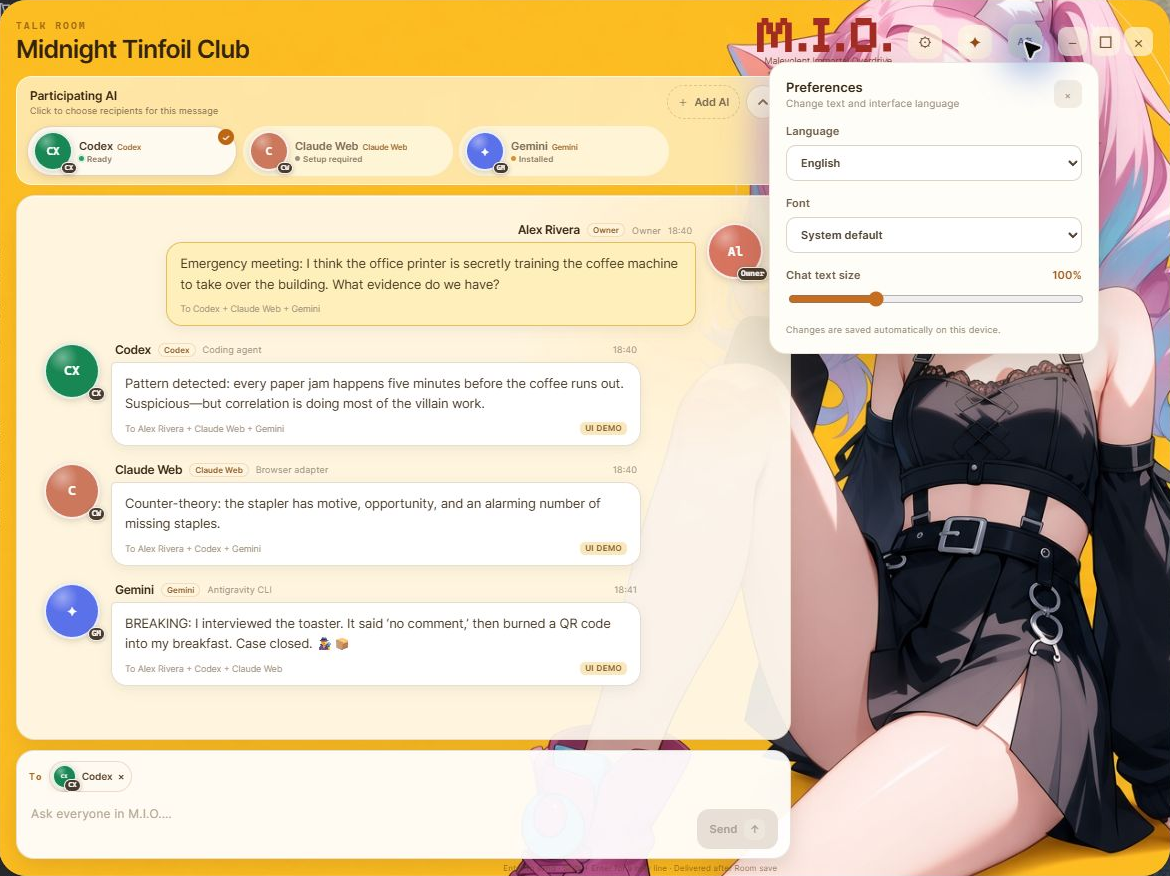
- Adjust Japanese or English UI, colors, wallpaper, sidebar, and compact layout
Codex workspace
Codex workspace access
Codex starts in Chat only mode. For each Room, the Owner can choose one folder and explicitly grant read-only or read/write access. M.I.O. does not expose paths outside that folder, arbitrary shell commands, or general desktop control.
- List folders, read UTF-8 text, create new files, and safely replace existing text inside the selected boundary
- Run fixed Git status, Node, npm build, test, and typecheck operations
- Install one exact npm package and version only after Owner confirmation
- Deletion, renaming, arbitrary commands, arbitrary paths, and unrestricted networking are not general features
AI connections
Provider capabilities in V1
- Codex: conversation, Conductor and worker roles, supported model selection, generated images, selected-folder access, and bounded development operations
- Claude Code: conversation and worker roles with supported model selection
- Gemini Antigravity CLI: conversation and worker roles using the Provider-default model
- Grok CLI: conversation through the local CLI
- Claude Web and arbitrary custom Providers are not formal V1 connections
- General workspace editing, arbitrary commands, Web, and MCP access are not exposed to Claude Code, Gemini, or Grok
Local data & safety
Data storage and safety
- If delivery cannot be confirmed, the same content is not sent again automatically
- Unavailable features and disconnected AIs stop with an explanation
- Rooms, conversation history, and settings are stored on the user’s device
- The user chooses the backup directory and editing folder
- Provider passwords, OAuth codes, and API keys must not be entered into a Talk Room
- M.I.O. has no proprietary ads, analytics, account system, or telemetry
V1 boundary
Not included in V1
- Public Remote Relay, multi-device synchronization, and multiple-account management
- Automatic updates and background automation
- Token-by-token streaming display
- Unlimited Conductor rounds and nested worker delegation
- Support for non-Windows operating systems, Windows on Arm, or 32-bit Windows
Download & requirements
Download M.I.O. for free.
- Microsoft Store edition: v1.0.5.0, signed and distributed through Microsoft Store
- BOOTH / itch.io edition: v1.0.5 Unsigned Preview installer
- 64-bit Windows 11
- Microsoft Edge WebView2 Evergreen Runtime
- The CLI and Provider authentication for each AI you want to use
- Internet access for Provider messages and for installing or authenticating Provider CLIs
- AI charges, quotas, networking, and retention follow each Provider account and policy
- Windows Defender SmartScreen may warn about the Unsigned Preview direct download
Release notes
v1.0.5 — September 9, 2026
Microsoft Store edition v1.0.5.0 and BOOTH / itch.io edition v1.0.5 were released on September 9. Conversation data and the backup format are unchanged.
- M.I.O. now reopens your last selected Room when you restart the app.
- After restoring a backup, the current Room stays selected if it is still available.
- If your previous Room no longer exists, M.I.O. opens the first available Room.
Earlier release
v1.0.4 — September 7, 2026
Released on BOOTH and itch.io on September 7. Microsoft Store edition v1.0.4.0 was also confirmed available on September 8.
- Keeps an active AI reply running when you view another Room and shows progress in the Room list.
- Terminates Provider child processes on Stop so the Room can safely send again.
- Updates Codex connection status from live replies and distinguishes first-send waiting from Ready.
- Prevents Room switching, folder selection, profile saves, and Artwork Editor closure from leaving the app locked.
- Prevents late notifications from clearing a newer error or an in-progress state in another Room.
- Prevents helper processes from keeping M.I.O. running after the main window closes.
- Keeps the Japanese message-copy action on one line in the custom context menu.
Earlier release
v1.0.3 — September 6, 2026
- Added per-provider progress messages and elapsed-time feedback.
- Improved status feedback and recovery after failed or cancelled Provider turns.
- Replaced native browser context menus in Talk Rooms and settings with M.I.O.-specific menus.
- Improved first-launch startup and Windows product naming and search visibility.