Qippo
View, discard, and sort images and videos.
A free local Windows app for quickly reviewing JPEG, PNG, and MP4 files, moving unwanted items to the Recycle Bin, and filing the rest into assigned folders with number keys.
Product views
Screenshots
About
Review one file, decide, and move straight to the next.
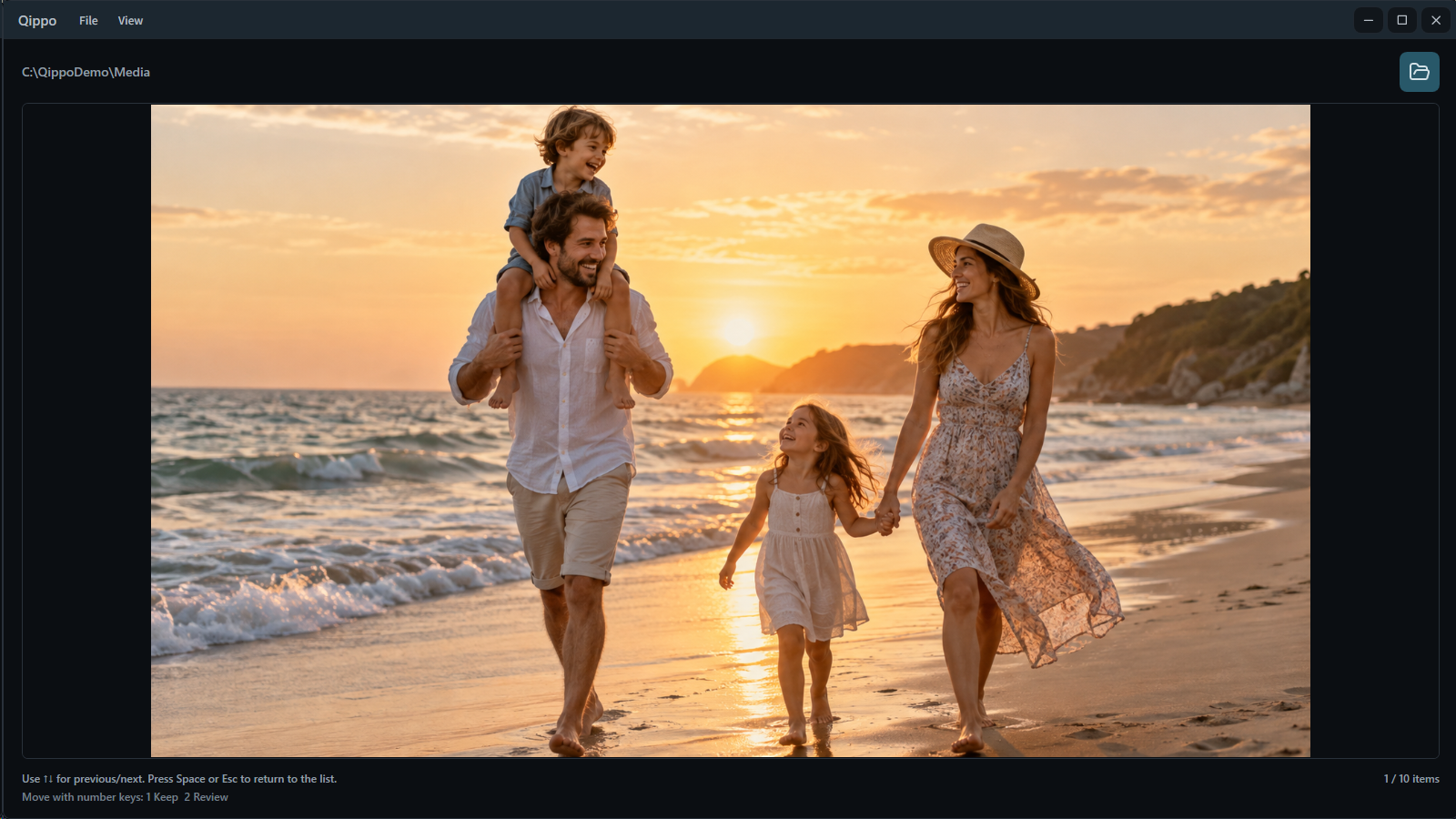
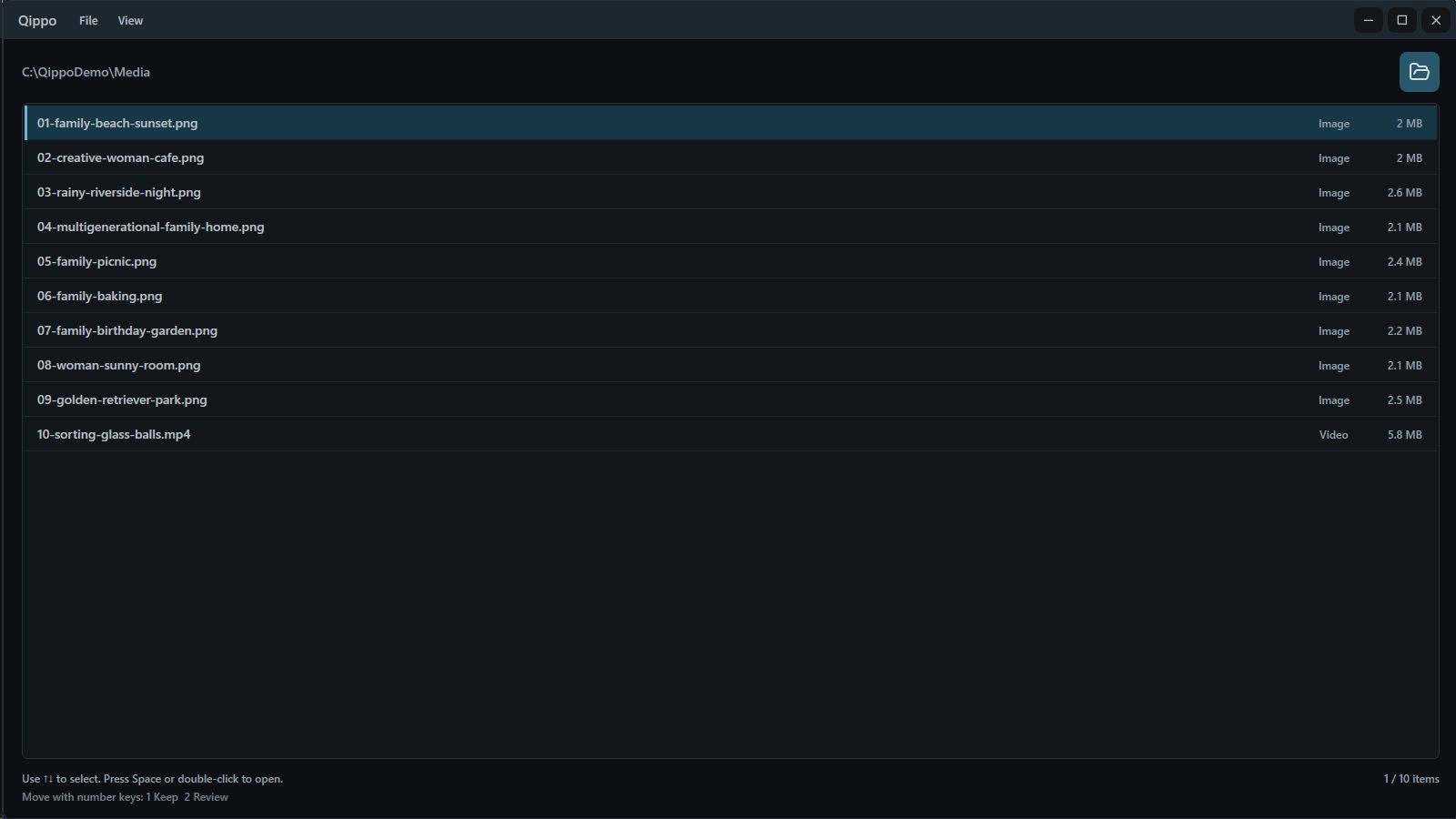
Qippo is a Windows app for reviewing and organizing images and short videos one by one. It lists JPEG, PNG, and MP4 files directly inside a folder you choose. Open a preview with Space or a double-click.
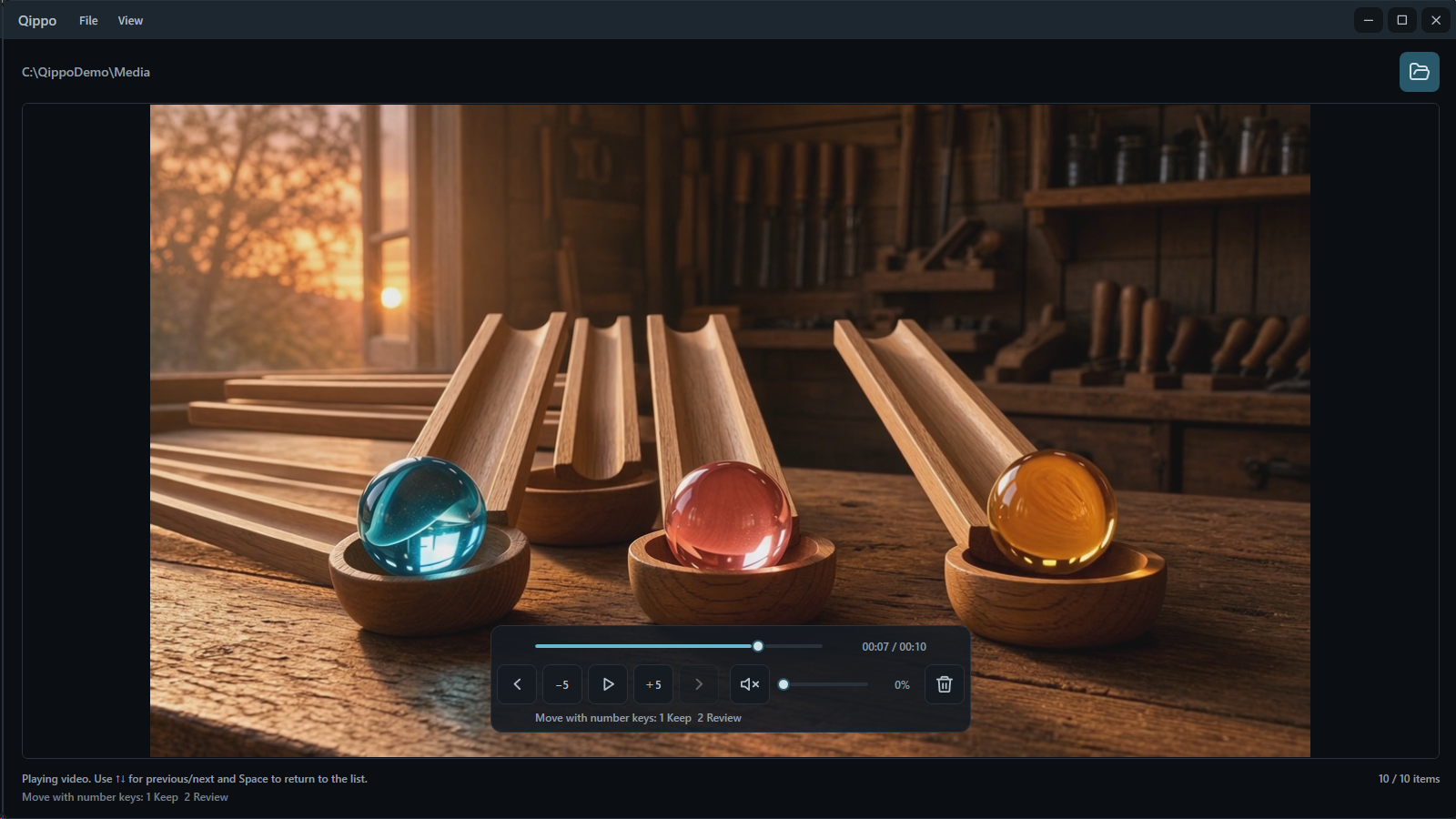
- List and preview JPEG and PNG images and MP4 videos
- Keyboard navigation and video seeking
- Sort by file name, date modified, or date created
- Switch between windowed and fullscreen preview
Sorting
Keep moving with Delete and the number keys.
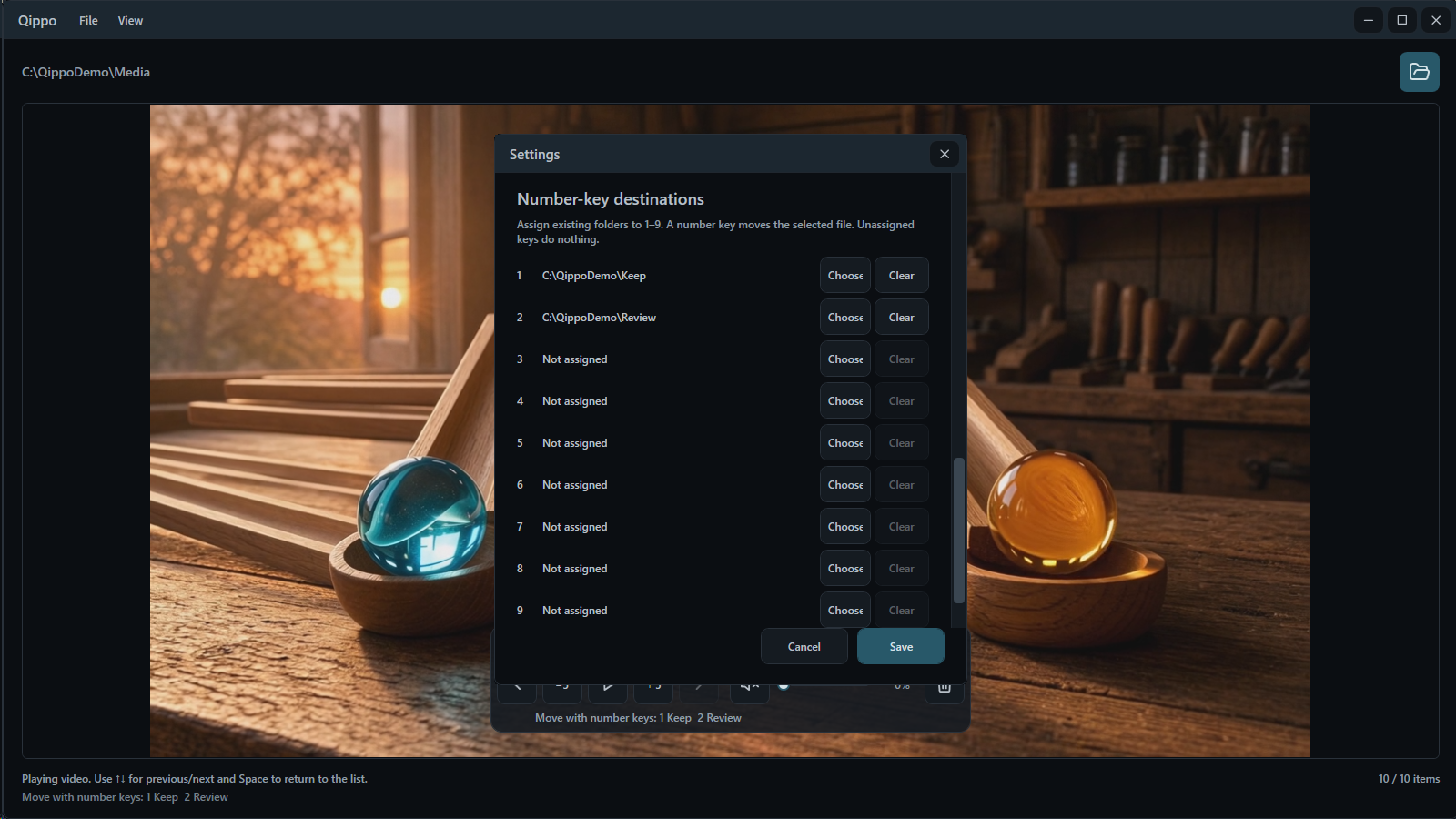
Delete sends the selected file to the Windows Recycle Bin. Number keys 1–9 move it to destinations you assign in Settings. Qippo never overwrites an existing file with the same name.
- Use either the top number row or the numeric keypad
- Continue directly to the next file after sorting
- Every video starts muted
- Japanese and English interface; first launch follows the Windows display language
Local & private
Review files without leaving a Qippo viewing history.
Qippo works locally and does not upload images or videos to an external service. It does not save viewed source folders, file names, selection positions, or thumbnails as history. It stores only the display and control settings you choose and the sorting destinations you assign.
Requirements
Systems and editions
BOOTH and itch.io offer a lightweight edition for a faster first launch and a runtime-bundled edition that needs no separate installation. Their Qippo features are identical. The lightweight edition requires Microsoft .NET 10 Desktop Runtime x64, available free from Microsoft. The Microsoft Store edition includes the required components.
- Windows 10 / 11 x64
- Lightweight edition (recommended, faster first launch): requires Microsoft .NET 10 Desktop Runtime x64
- Runtime-bundled and Microsoft Store editions: no separate .NET installation required
- Microsoft official download: https://dotnet.microsoft.com/download/dotnet/10.0
- Images: JPG, JPEG, and PNG
- Video: MP4. Windows media features are required for playback
- Windows 10 / 11 N requires Media Feature Pack and a PC restart
- Only files directly inside the selected folder; subfolders are not scanned automatically
- The developer .NET SDK is not required
File safety
Start with copies you can safely lose.
Qippo works with original files. Before organizing anything important, test the controls with copies you can safely lose. Number-key sorting moves files rather than copying them, while Delete uses the Windows Recycle Bin.