WheelPick Scheme
Find colors from a feeling, then refine them as far as you need. A Windows app for practical palettes of 2 to 10 colors.
Start quickly in Guide mode, then lock, fine-tune, check contrast, save, and export your palette in one place. EXPERT and EXPERT LAB give you deeper control over how the palette is built.

Product views
Screenshots
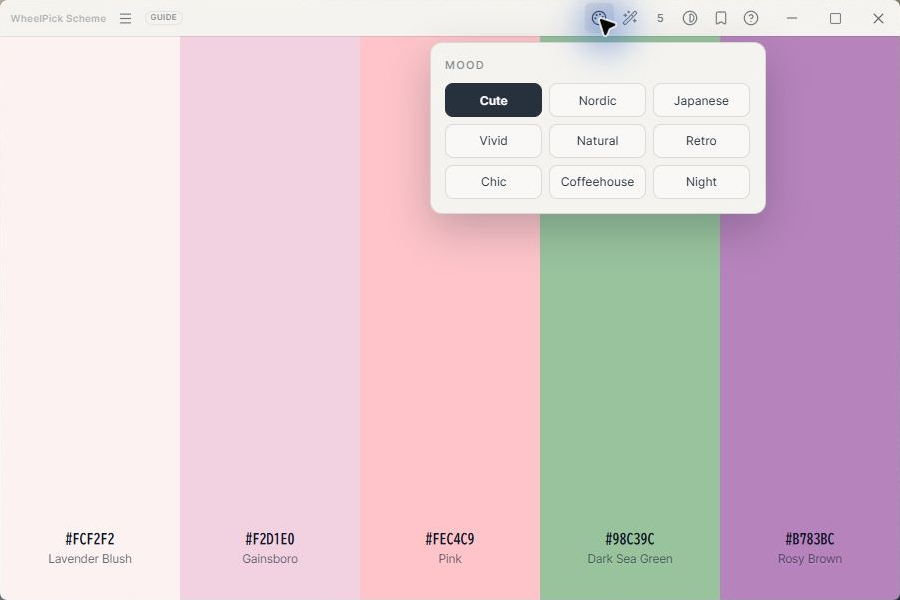
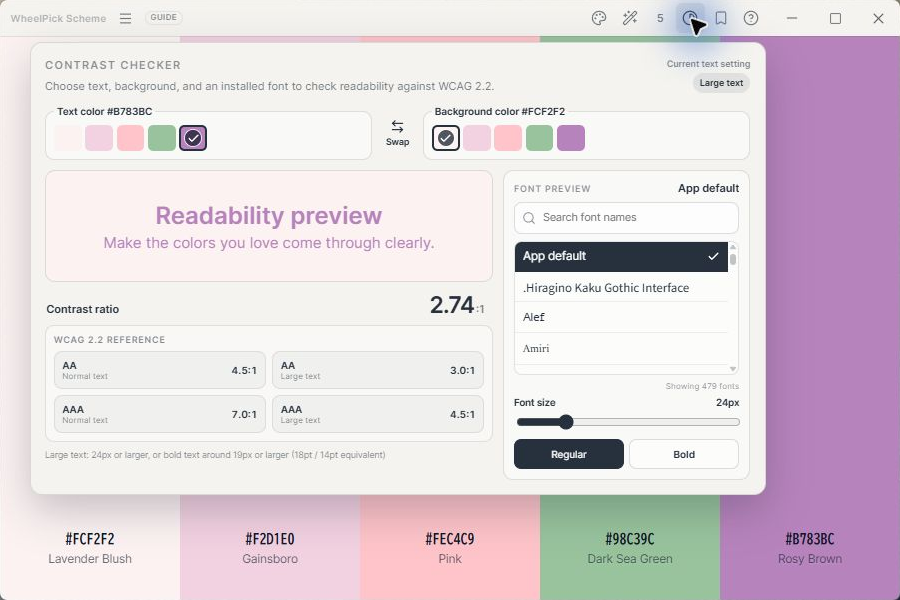
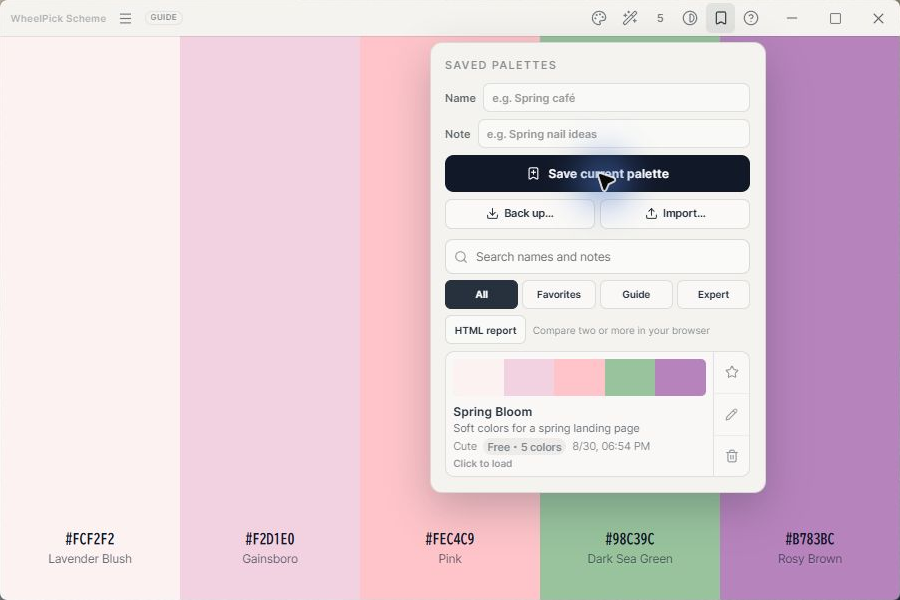
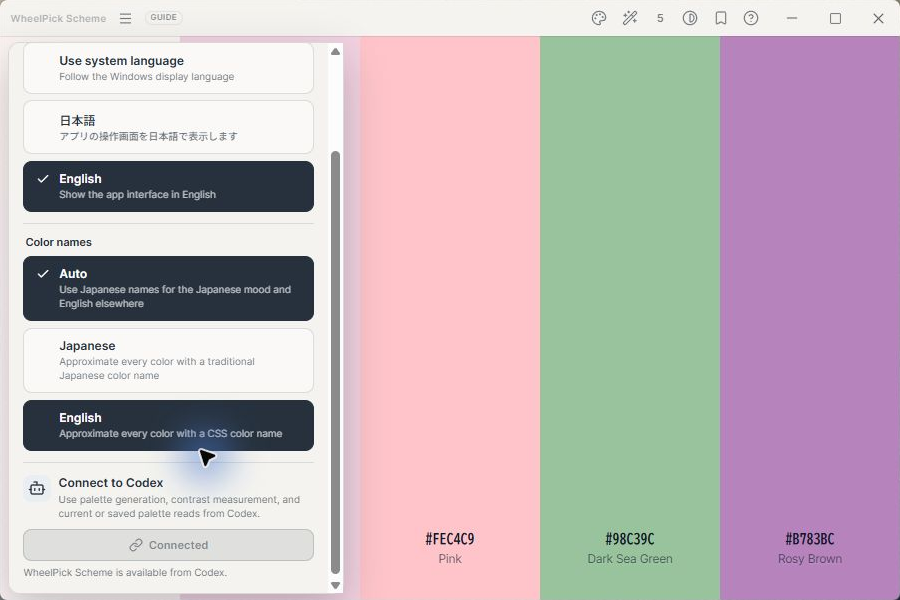
Guide mode
Start with a feeling.
Choose a mood, color relation, and color count to create a palette immediately. Lock the colors you want to keep, regenerate the rest, or fine-tune each color individually.
- Generate palettes of 2, 3, 4, 5, 6, 8, or 10 colors
- Nine moods including Cute, Nordic, and Japanese
- Color relations including Free, Monochromatic, and Analogous
- Color locking, regeneration, color picker, and fine adjustment
Use your palette
Put your colors to work.
Copy HEX values instantly, or export CSS variables, JSON, and palette PNG images. Check text and background readability using WCAG 2.2 reference values.
- Copy HEX values with one click
- Export CSS variables, JSON, and PNG images
- Save palettes with names and notes
- Search favorites, back up, and import your collection
Expert / Lab
Build the palette more deeply.
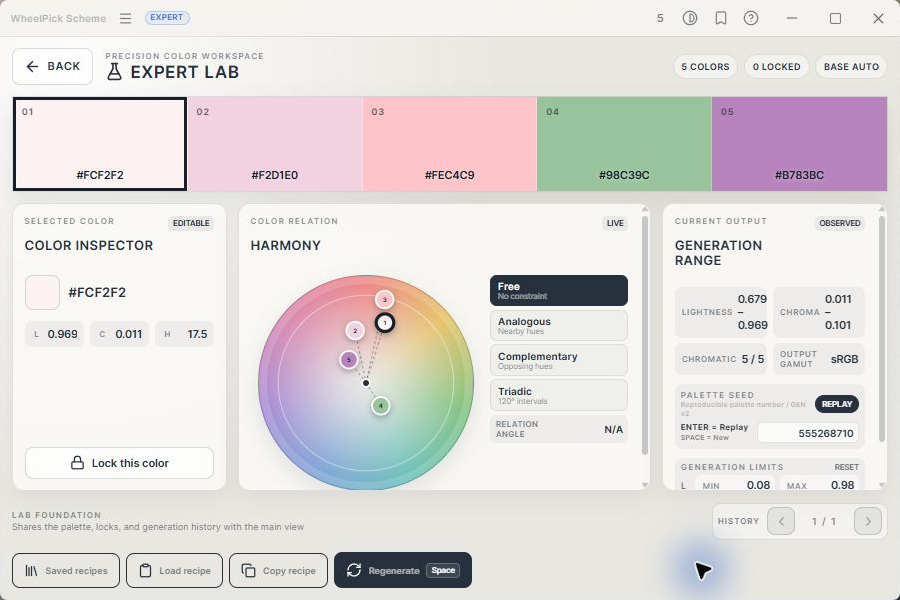
EXPERT gives you control over harmony, lightness, chroma, and generation limits. EXPERT LAB lets you explore the palette system itself through a harmony wheel and detailed values for every color.
- Reproducible palettes with SEED
- Harmony, lightness, chroma, and generation-range controls
- Switch between guided and expert tools at any time
Codex connection
Connect to Codex only when you choose.
The included wheelpick-mcp.exe lets Codex read your current and saved palettes, generate new palettes, and calculate contrast ratios. Connection happens only when you choose it in Settings, and Node.js is not required. Normal palette creation works offline.
Connecting to Codex requires a ChatGPT account.
Requirements
Requirements and notes
- Tested on 64-bit Windows 11
- 64-bit Windows 10 is currently untested
- macOS, Linux, and 32-bit Windows are not supported
- The app is not code-signed, so Windows may display a security warning during installation
- Version 0.1.0 does not include automatic updates
License
Permitted use
- One purchase covers multiple PCs personally used or managed by the purchaser
- Commercial use of palettes and exported results is allowed
- Redistribution of the app, installer, or wheelpick-mcp.exe is prohibited